How Small Businesses Should Evaluate WhatsApp Business API Platforms for External Integration
Your WhatsApp Business API platform cannot sync orders to your CRM, and every customer record is now a manual copy-paste job. Picking a vendor on messaging features alone leaves you rebuilding that bridge yourself. Integration capability decides whether WhatsApp becomes a sales channel or another silo.
This article breaks down the evaluation criteria that matter most: API depth, webhooks, native versus custom integrations, and Meta Partner status. You will also learn how to compare pricing without hidden markup traps and how to run a pilot before committing.
Why External Integration Capability Should Drive Your Platform Choice
When a customer messages your business on WhatsApp, the real work begins after the chat ends-syncing that conversation with your CRM, order management, or helpdesk system determines whether you deliver a seamless experience or create a data silo.
The WhatsApp Business API is not just another messaging channel. It is a gateway to your entire business stack. Every conversation carries data that belongs somewhere else: a lead that should become a contact record, an order that needs fulfillment, a complaint that should open a support ticket. If that data cannot move between systems automatically, the channel becomes an isolated inbox rather than a connected part of your operations.
Integration capability directly shapes operational efficiency. Without it, team members manually copy details from WhatsApp into other tools. That manual work introduces errors, slows response times, and makes it difficult to know which customer conversations have been handled. Connected systems tend to outperform disconnected ones, though the exact gain varies by business.
For a small business, this matters even more than it does for a large enterprise. Small teams cannot absorb the overhead of duplicate data entry, and they rarely have dedicated staff to reconcile records across tools. Choosing a Business Solution Provider (BSP) or API provider without checking integration fit can lock you into months of workarounds.
That is why platform evaluation should start with integration, not with messaging features alone. Ask what connects, how it connects, and what happens when something breaks. Small businesses also have specific integration priorities, which the next section covers in detail.
Common Integration Needs for Small Businesses: CRM, E-commerce, and Helpdesk
Small businesses rarely need every possible integration; instead, they prioritize three core systems: CRM to track leads and customers, e-commerce platforms to manage orders and inventory, and helpdesk software to resolve support tickets. Each one changes how WhatsApp conversations turn into action.
CRM integration should do more than store a phone number. A well-connected setup automatically creates a contact record from a WhatsApp conversation, logs each message against that contact, and triggers follow-ups when a lead goes quiet. Sales teams then see the full conversation history without switching apps.
E-commerce integration turns WhatsApp into a lightweight storefront. Customers should be able to browse products, place orders, and receive shipping updates inside the chat. Behind the scenes, the platform should sync order status and inventory so agents never promise an item that is out of stock.
Helpdesk integration converts a WhatsApp message into a ticket, assigns it to an available agent, and syncs status updates both ways. When the ticket closes, the customer can receive a confirmation in the same thread.
Before you compare vendors, list your own top three systems. Note how each one exposes data: does it offer a REST API, webhook support, or a prebuilt connector? Ask providers whether they support your exact stack, how they handle JSON payload formats, and whether a sandbox environment is available for testing. That shortlist becomes your evaluation checklist and keeps the comparison grounded in your actual needs rather than a vendor's feature sheet.
The Evaluation Criteria That Matter Most
Beyond marketing promises, the technical foundation of a WhatsApp Business API provider determines how well it will adapt to your evolving needs.
Three areas separate capable providers from the rest: API depth, integration flexibility, and security with compliance. These are not abstract developer concerns. They shape whether your messages arrive on time, whether your customer records stay accurate, and whether your business retains the trust of the people it messages.
Consider what happens when any one of these areas falls short. A shallow API limits what you can automate. Rigid integration options force manual workarounds. Weak compliance practices put your number and your data at risk. Each failure shows up on the customer's screen, not just in a log file.
For a small business, the stakes are practical. You likely run lean teams and cannot absorb downtime or data cleanup. A platform evaluation that ignores technical depth often leads to a costly migration later.
This is why the assessment should happen before you commit, not after your first campaign. The following sections break down each criterion, starting with API depth, the engine of real-time synchronization between WhatsApp and your business systems.
API Depth, Webhooks, and Real-Time Data Sync
A provider's API depth is measured by how much control it gives you over message flows, data retrieval, and event triggers.
The baseline is a well-documented REST API with clear JSON payloads. Documentation should explain every endpoint, list error codes, and show realistic request and response examples. If a provider's API documentation is vague or outdated, that is a warning sign about long-term support.
Webhooks matter just as much. They push events to your systems as they happen, including incoming messages, delivery statuses, and template approvals. Without them, you are stuck polling the API on a schedule, which adds delay and wasted requests.
To test webhook reliability, ask for a sandbox environment and simulate high-volume events before you sign. Watch how the provider handles bursts, retries, and out-of-order delivery.
Specific questions to ask any API provider:
- What is the average webhook latency?
- Do you support idempotent webhook delivery, so duplicate events do not corrupt records?
- How are failed webhooks retried, and for how long?
- Can we configure separate endpoints for different event types?
Skip this diligence and your CRM will always lag behind customer interactions. A message answered an hour late in your helpdesk software is a message the customer assumes was ignored.
Native Integrations vs. Custom API and Middleware Options
When evaluating integration options, you'll encounter two main paths: native, pre-built connectors that require minimal setup, and custom API or middleware solutions that offer flexibility at the cost of development effort.
Native integrations connect directly to platforms you already use, such as a CRM, helpdesk software, e-commerce platform, or ERP system. They deploy quickly and the vendor maintains them. The trade-off is limited customization. If your workflow differs from the standard pattern, you may not be able to adjust it.
Custom API work gives you full control over data mapping, timing, and logic. It also requires developer resources and ongoing maintenance. Every change to your internal systems becomes your responsibility to test and update.
Middleware tools bridge gaps between systems that lack a native connector. They can be useful for smaller teams, but each layer adds subscription cost and another potential failure point when something breaks.
Ask vendors two direct questions: which native integrations are supported out-of-the-box, and what is the cost and timeline for custom integrations?
A simple decision framework helps here. If you rely on mainstream CRM or e-commerce platforms, native connectors are likely sufficient. If you run proprietary or heavily customized systems, plan for custom API work from the start.
Security, Compliance, and Official Meta Partner Status
Security and compliance are non-negotiable when customer data flows through messaging channels, and official Meta Business Provider status is a key indicator of a vendor's legitimacy.
Official Business Solution Providers undergo vetting by Meta, which means they agree to follow data protection rules and API usage policies. Working with an unofficial provider risks account suspension, message delivery failures, and data breaches that damage customer trust.
Look for these security features when comparing platforms:
- End-to-end encryption for message content
- GDPR and CCPA compliance, with documented processes for both
- Data residency options, so you know which region stores your data
- SOC 2 certification or an equivalent independent audit
Put these questions to every vendor on your shortlist:
- Where is our data stored, and in which jurisdictions?
- Who inside your organization can access our messages?
- How do you handle data deletion requests, and within what process?
- What happens to our data if we leave your platform?
Clear answers, ideally backed by documentation, signal a provider that takes compliance seriously. Vague answers or reluctance to share details should end the conversation. The savings from an unofficial or cheap alternative are never worth a suspended number or a leaked customer list.
How to Compare Pricing Without Getting Burned
WhatsApp Business API pricing is notoriously complex, with conversation-based fees, platform markups, and add-ons that can inflate your bill if you're not careful. Unlike a simple monthly subscription, the total you pay is split across several layers that each vendor structures differently.
At the base sits Meta's own conversation fee, which varies by conversation category such as marketing, utility, authentication, and service, and also by the recipient's country. On top of that, a Business Solution Provider (BSP) or API provider may add its own markup per conversation.
Then come the platform charges: per-seat or per-agent fees, setup charges, onboarding costs, and integration fees. Each one looks small on its own, but together they shape your real monthly bill far more than the headline rate.
Watch for hidden fees too. Some providers charge extra when you add team members, connect social channels, or trigger external actions through the platform. Others meter API calls, webhook usage, or middleware separately.
Finally, remember that total cost of ownership includes developer time. Custom CRM integration, helpdesk software connections, or ERP system work often takes internal hours that never appear on an invoice but still carry a cost. Understanding markups and fees is the first step to avoiding surprises, which is where the breakdown below begins.
Conversation Markups, Per-Seat Fees, and Hidden Integration Costs
Many providers add a markup on top of Meta's conversation fees, and some charge per-seat fees that can make scaling expensive. To see the real picture, ask each vendor for a sample invoice built around your expected volume rather than their advertised starting price.
Per-seat pricing deserves particular scrutiny. A low base rate paired with a per-agent charge penalizes you for growing your team, so compare providers that offer unlimited agents or at least reasonable add-on pricing for additional seats.
Hidden integration costs are the other trap. These can include:
- Charges for API calls beyond a set monthly limit
- Webhook usage fees that scale with message traffic
- Middleware or connector subscriptions for CRM, helpdesk, or e-commerce platforms
- Setup or onboarding charges for each external system you connect
A simple way to model it: Total Monthly Cost = (Conversations x (Meta Fee + Markup)) + (Seats x Seat Fee) + Integration Fees + Add-ons. Run that formula against your own numbers instead of relying on a vendor's summary.
Then request a detailed pricing breakdown in writing and simulate costs at both 6 and 12 months. Growth changes the math quickly, and a plan that looks affordable today may not hold once volume and seats increase.
Matching Plan Tiers to Your Actual Message Volume
Choosing the right plan tier requires an honest assessment of your current and projected message volume, not just picking the cheapest option. Start by counting your incoming and outgoing conversations each month, then sort them by category: marketing, utility, authentication, and service.
Each category carries a different Meta fee, so a blended average can mislead you. Estimate growth separately for each type, since a seasonal promotion can spike marketing conversations without touching your authentication volume.
Most providers offer tiered plans based on conversations or messages, and the jump between tiers often hides a steep overage rate. Use a comparison table like this when reviewing quotes:
| Plan | Included Conversations | Overage Rate | Per-Seat Fee | Integration Limits |
|---|---|---|---|---|
| Tier 1 | Vendor figure | Vendor figure | Vendor figure | Vendor figure |
| Tier 2 | Vendor figure | Vendor figure | Vendor figure | Vendor figure |
| Tier 3 | Vendor figure | Vendor figure | Vendor figure | Vendor figure |
Avoid overprovisioning. Starting on a lower tier and upgrading as volume grows usually costs less than paying for capacity you never use. For seasonal businesses, a pay-as-you-go model can be more cost-effective than a fixed commitment during slow months.
If you expect rapid growth, ask the vendor directly about volume discounts. Many BSPs have flexibility on committed tiers that never appears on a public pricing page.
Testing Before You Commit: Trials, Sandboxes, and Support Quality
A pilot or sandbox environment lets you validate a provider's technical claims and support responsiveness before signing a contract. Marketing pages describe what a WhatsApp Business API platform should do. A trial shows you what it actually does when your developers connect it to real systems.
This stage matters most for external integration. Your CRM integration, helpdesk software, or ERP system has to exchange data reliably with the messaging platform. A sandbox is where you find out whether that exchange holds up under real conditions.
Three technical areas deserve the closest attention during any trial:
- API endpoints and the REST API: Confirm that endpoints behave as documented, that JSON payloads match the specification, and that error responses are clear enough to debug.
- Webhook reliability: Test whether inbound message events arrive consistently, whether retries happen when your endpoint is temporarily unavailable, and how delivery status updates are reported.
- Integration workflows: Push a contact from your CRM into the platform, trigger a message template, and confirm the reply lands back in the right record. Repeat this across each system you plan to connect.
Support quality during the trial is a preview of post-sale support. Submit a ticket with a genuine technical question and observe how quickly and how well the provider responds. A vendor that is slow or vague before you pay is unlikely to improve afterward.
Run a structured pilot rather than an open-ended test. Define success criteria up front, such as message delivery rate, webhook latency, and integration sync time. Then run the pilot for two to four weeks with your developers and customer support team actively involved.
Involving both teams matters because they stress different parts of the platform. Developers surface API and webhook issues. Support staff discover how the platform feels in daily customer communication, including how message templates perform in live conversations.
Asking the right questions during the pilot will uncover hidden issues that no demo or sales call ever reveals.
Questions to Ask Vendors During a Pilot
During a pilot, your goal is to stress-test both the technology and the vendor's commitment to your success. Put your questions in writing and ask for written answers. Verbal assurances are difficult to compare across vendors and easy to forget once a contract is signed.
Start with support and account management:
- What is the average response time for support tickets, and does it differ by severity level?
- Is there a dedicated technical account manager, or does support run through a shared queue?
- What channels can we use to reach support, and are any of them available outside standard business hours?
Then move to the technical and commercial details that affect long-term integration health:
- How often are API updates released, and how are breaking changes communicated in advance?
- What are the rate limits, and how are they enforced when we exceed them?
- Do you provide a staging environment that mirrors production?
- How do you handle template approval rejections, and what guidance do you offer on resubmission?
- Can we export all our data, including conversation history and contact records, if we leave?
The data export question is easy to overlook and expensive to regret. Ask exactly what format the export takes and whether it includes everything your team would need to rebuild elsewhere.
Document every answer in a shared spreadsheet and compare vendors side by side. Score responses against your pilot success criteria rather than relying on impressions from a sales call.
A vendor that hesitates, deflects, or gives vague answers to these questions is a red flag. Providers confident in their platform and their onboarding process answer plainly and often volunteer detail you did not think to request.
Where Com.bot Fits in the Evaluation Shortlist
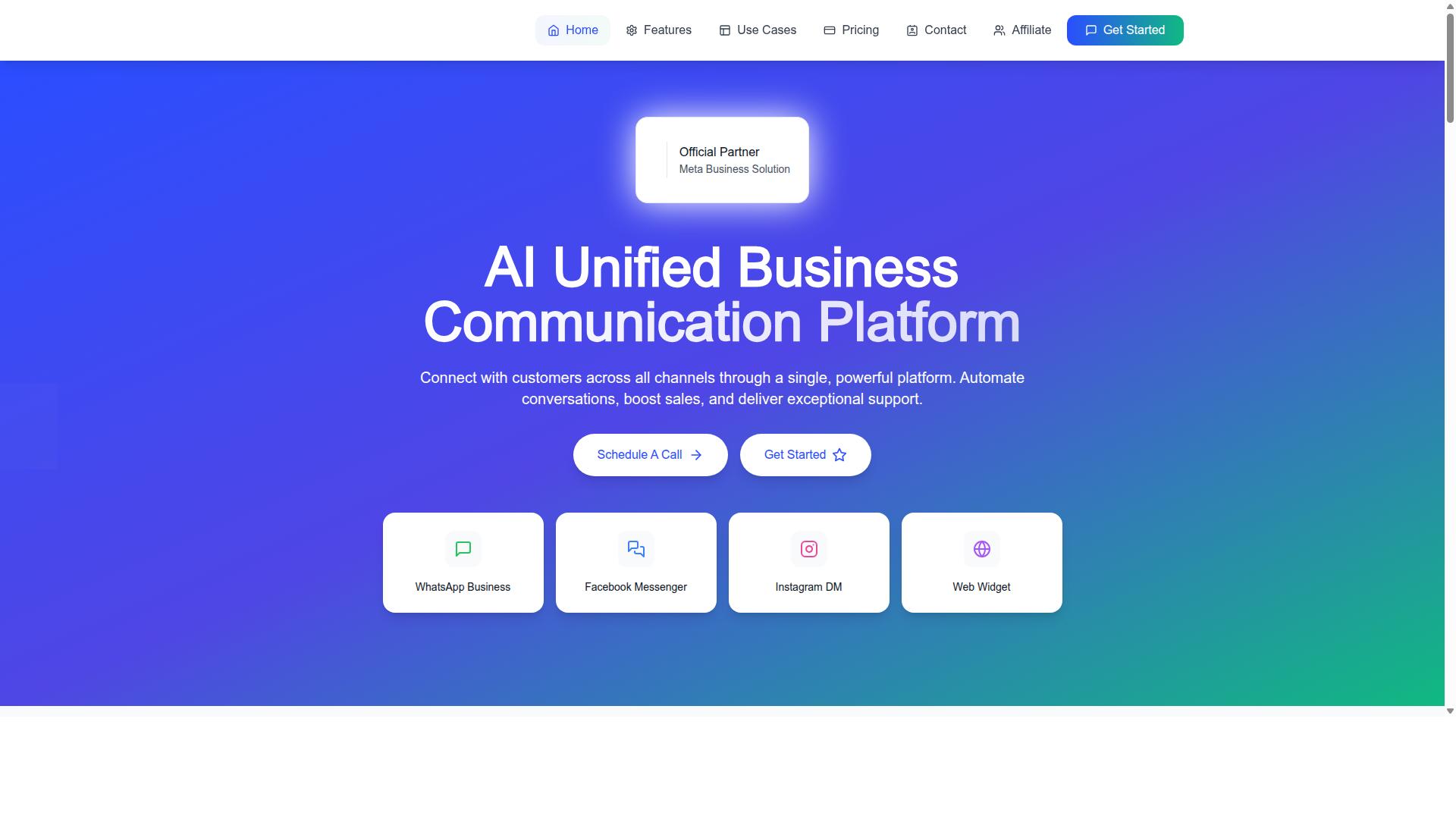
Com.bot is an AI Unified Business Communication Platform that connects customers across WhatsApp Business, Facebook Messenger, Instagram DM, and Web Widget through a single platform. For a small business comparing WhatsApp Business API providers, it is a candidate worth measuring against the same criteria you would apply to any other vendor.
One factor stands out early in a platform evaluation: official partner status. Com.bot is an Official Meta Business Partner with direct WhatsApp Business API integration, a credential that matters when you are weighing Business Solution Provider options. It also operates globally, which helps if your team or customer base crosses borders.
Com.bot is owned and managed by Com Bot AI Limited, and its feature set maps closely to the checklist most small businesses build during evaluation: multi-channel support, automation, integrations, and tiered pricing. The subsections below break down its integration capabilities and pricing model so you can decide whether it earns a place on your shortlist.
Unified Inbox, Automation Builder, and 1000+ Integrations
Com.bot's core offering includes a Unified Team Inbox, a Visual Bot Builder with drag-and-drop interface, and support for over 1000 integrations through native connectors and API. Each of these addresses a common pain point in platform evaluation.
The Unified Team Inbox consolidates messages from WhatsApp, Facebook, and Instagram into one interface. Instead of switching between apps, agents handle every conversation in a single view. For a small team, that reduces context switching and keeps response times consistent across channels.
The Visual Bot Builder uses a drag-and-drop interface, so you can design conversation flows without writing code. Pre-built templates give you a starting point rather than a blank canvas, which shortens the time between setup and your first automated reply.
Integrations extend the platform into the rest of your stack. Com.bot's Automation Builder covers CRM integration, e-commerce platforms, helpdesk software, and more through native connectors, a REST API, and webhook support. A few practical examples for a small business:
- Automate order status replies so customers get updates without an agent typing each response
- Sync contacts to your CRM so sales and support share one customer record
- Trigger notifications or payment collection flows from events in your e-commerce platform
Scale is another evaluation checkpoint. Com.bot processes 25M+ messages per day and has created 100K+ bots, which signals the platform can handle growth beyond a small team's early volume. Related products like Tasks.Bot, Tickets.Bot, and Calendars.Bot show the ecosystem extends into task automation, ticketing, and appointment booking if your needs expand.
Pricing and Global Availability for Growing Teams
Com.bot offers transparent tiered pricing: Silver at $149 per quarter, Gold at $349 per quarter (recommended), and Platinum V1 at $2500 per quarter, with add-ons like additional team members for $10 per month. Here is how the tiers line up with typical team sizes:
| Plan | Price | Best Fit |
|---|---|---|
| Silver | $149 per quarter | Small teams getting started |
| Gold | $349 per quarter (recommended) | Growing businesses |
| Platinum V1 | $2500 per quarter | Enterprises |
Add-ons are priced per unit, which keeps the base subscription lean. At $10 per month, you can add an extra team member, a social channel, external actions (per 5000), bot triggers (per 25000), or an ecom store. Dedicated support is available at $49 per hour for WABA, CRM, and Inbox, or $99 per hour for Ecommerce, Bots, and Automations.
Compare this structure against the pricing criteria in your evaluation. Per-seat fees are optional rather than baked into the base plan, and WhatsApp messaging runs at actual Meta rates with no markup. That last point matters if you are modeling conversation-based pricing, since per-message fees and markups are where costs often creep up.
Com.bot serves 50+ countries, so international teams can standardize on one platform. Pricing is listed in USD, though the site offers an INR toggle, so verify your billing currency before committing. To estimate your total cost, multiply your expected team size and channel count by the add-on rate, then layer in your projected message volume at Meta's rates.
Red Flags and Final Checklist Before Signing
Before you sign a contract, run through this final checklist to ensure you're not overlooking critical details that could cost you time and money. A WhatsApp Business API platform becomes part of your daily customer communication, so a rushed decision is hard to reverse later.
Watch for these warning signs during your platform evaluation:
- No official Meta BSP status. If a vendor cannot confirm it is an approved Business Solution Provider, your account access and message deliverability may be at risk.
- No sandbox environment. Without a test space, you cannot validate API documentation, webhook support, or message templates before committing.
- Vague pricing. Unclear conversation-based pricing, per-message fees, or undisclosed setup charges usually surface as hidden fees after onboarding.
- Slow or evasive support. Delayed answers during the sales stage often predict delayed answers when something breaks.
- No clear data ownership policy. You should know exactly who owns your customer data and how it can be exported.
- Restrictive cancellation terms. Long lock-ins or penalties make switching providers painful if the fit turns out wrong.
Once those red flags are cleared, work through a structured final checklist before signing:
- Verify BSP status directly with Meta's official partner directory.
- Test the API and webhooks in a sandbox, including REST API calls and JSON payload handling.
- Get a detailed pricing breakdown covering subscription cost, per-message fees, and any setup charges.
- Confirm integration capabilities with your CRM integration, helpdesk software, e-commerce platform, ERP system, or marketing automation tools.
- Review security and compliance practices around customer data.
- Check support SLAs so response times are documented, not assumed.
- Understand data export and cancellation policies before any money changes hands.
Your pilot experience matters more than any sales pitch. If testing felt clunky or support was slow during the trial, that pattern rarely improves after signing. Trust what you observed, not what you were promised.
For a hands-on look at how a WhatsApp Business API platform handles external integration, you can reach the Com.bot team for a demo or trial. Contact the head office at 501, Trinity Orion, Vesu Main Road, Surat - 395010, IN, call or message +91 080 6987 1810, or email [email protected]. Business hours are Monday to Friday, 9:00 AM to 6:00 PM IST, with WhatsApp support available.
Recommended Resources: